
We are using cookies in order to give you the most relevant experience. To use the site, it is necessary to accept the cookie policy.
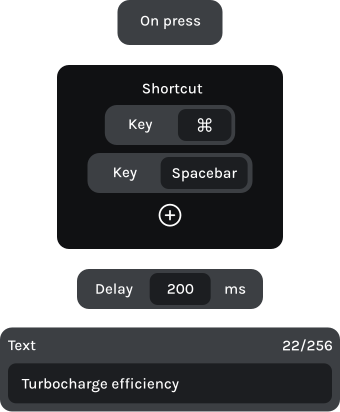
Insert reusable instructions with one press.
Keep your favorite commands within reach.
Combine commands into custom actions.
Save dedicated configs for each task.
Turn your most-used prompts into one-touch actions. With KeyForge Master, configure a button to enter your instructions and send them directly into your AI chat.
One action can prepare a prompt and start a conversation.
A DEDICATED CONFIGURATOR
DESIGNED AROUND YOUR WORKFLOW

Button 1
Open companion window
Alt + Space
Button 2
Insert reusable prompt
Text block + Enter
Knob 1 | Left
Ctrl + Page up
Knob 1 | Right
Ctrl + Page down

Button 1
Insert reusable prompt
Button 2
Text block + Enter
Knob 1 | Left
Page up
Knob 1 | Right
Page down

Button 1
Add selection to chat
Button 2
Open inline edit
Ctrl + L
Knob 1 | Left
Previous chat
Knob 1 | Right
Next chat