
We are using cookies in order to give you the most relevant experience. To use the site, it is necessary to accept the cookie policy.
Access your favorite tools with dedicated keys.
Use physical knobs for navigation shortcuts.
Play, pause, and navigate with dedicated buttons.
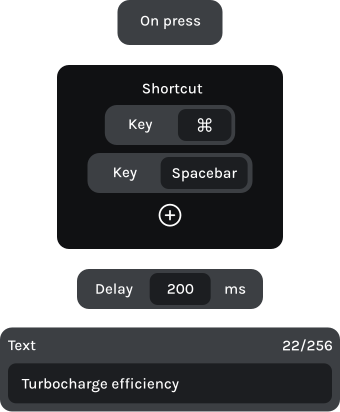
Combine multiple actions into a single press.
With KeyForge Master, assign your video editor’s Ripple Delete command to a button. Select an unwanted gap in your timeline and press the button to remove it, bringing your clips together without navigating menus.
Make MK-01 work the way you edit. With KeyForge Master, assign timeline shortcuts, playback controls, and multi-step actions to your keys and knobs. Create up to five configurations for different editing apps or workflows.

Button 1
Create compound clip
Option + G
Button 2
Detach audio
Ctrl + Shift + S
Knob 1 | Left
Timeline zoom out
Knob 1 | Right
Timeline zoom in

Button 1
Retime controls
Ctrl + R
Button 2
Ripple overwrite
Shift + F10
Knob 1 | Left
Previous frame
Left arrow
Knob 1 | Right
Next frame
Right arrow

Button 1
Add edit to all tracks
Ctrl + Shift + K
Button 2
Open export
Ctrl + M
Knob 1 | Left
Timeline zoom out
–
Knob 1 | Right
Timeline zoom in
+

Button 1
Pre-compose Layers
Ctrl + Shift + C
Button 2
Knob 1 | Left
Alt + Page up
Knob 1 | Right
Move Layer Later
Alt + Page down